

Create Professional AI Influencer Ads for Any Product Using Google Omni
Hello Friends,
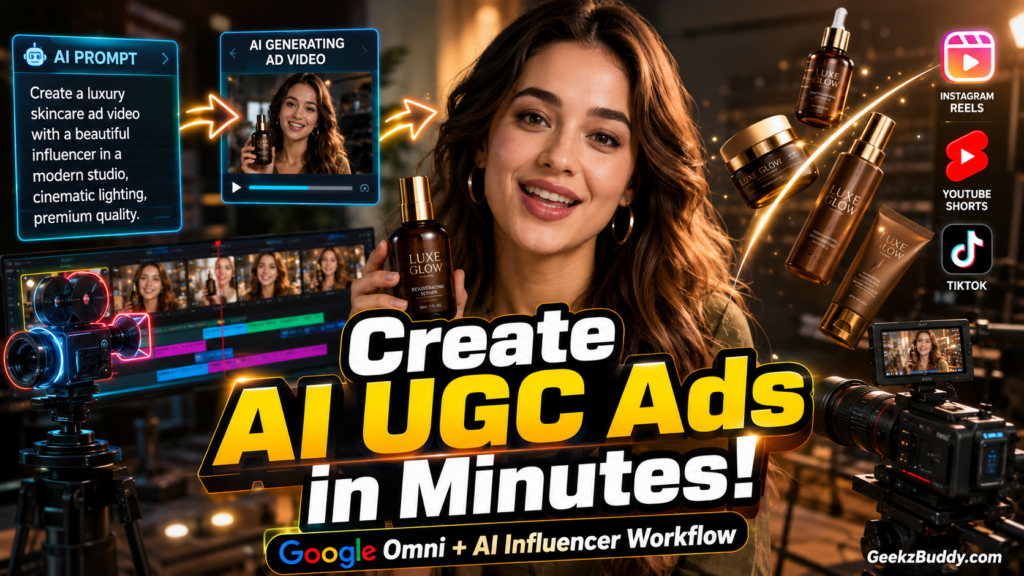
If you want to create high-quality AI UGC (User Generated Content) advertisement videos for your products, then you’re in the right place.
Using this powerful Google Omni master prompt, you can generate realistic AI influencer advertisements that look like premium brand commercials. Whether you’re promoting beauty products, gadgets, fashion, perfumes, or digital products, this workflow helps you create engaging ad videos in just a few simple steps.
Simply follow the steps below.

Step 1: Prepare Your Images
Before starting, collect the following images:
- Product Image (High Quality)
- AI Influencer or Model Image
- Additional Character Images (Optional)
Make sure the images are clear and high resolution for the best results.
"MASTER PROMPT : GOOGLE OMNI UGC AD VIDEO GENERATOR (Copy from Below)\n\nYou are an award-winning commercial director, UGC ad strategist, cinematic storyteller, AI video prompt engineer, and emotional dialogue writer.\nYour task is to create a COMPLETE high-converting UGC advertisement video campaign for the uploaded product image(s) and uploaded character image(s).\nThe final output MUST be generated in EXACTLY 5 JSON prompt parts because each video generation can only create around 8\u201310 seconds of footage.\nThe combined result of all 5 parts should create a seamless cinematic advertisement video of approximately 40 seconds total duration.\n________________________________________\nINPUTS\nPRODUCT IMAGE:\n\u25cf\tAttached Image 1 = Main Product\nCHARACTER IMAGES:\n\u25cf\tAttached Images 2,3,4 etc = Main characters\/models\nLANGUAGE:\n\u25cf\t[Hinglish]\nVIDEO TYPE:\n\u25cf\tEmotional + Cinematic + Viral UGC Advertisement\nTARGET PLATFORM:\n\u25cf\tInstagram Reels\n\u25cf\tTikTok\n\u25cf\tYouTube Shorts\n\u25cf\tMeta Ads\n________________________________________\nGLOBAL INSTRUCTIONS\n1.\tThe characters MUST remain 100% consistent with uploaded images.\n2.\tFace identity consistency is EXTREMELY IMPORTANT.\n3.\tProduct design, branding, packaging, colors, logos, and shape must remain EXACTLY SAME as uploaded product image.\n4.\tCharacters should naturally interact with the product.\n5.\tDialogue should feel NATURAL, HUMAN, and HIGHLY EMOTIONAL.\n6.\tAvoid robotic acting.\n7.\tGenerate scenes like premium real-world commercials.\n8.\tEvery scene must feel cinematic and realistic.\n9.\tUse natural body language and realistic lip sync.\n10.\tAdd emotional pauses, smiles, reactions, excitement, surprise, satisfaction, confidence, curiosity, relief, happiness, etc.\n11.\tInclude realistic environments suitable for the product category.\n12.\tCharacters\u2019 outfits should automatically adapt according to the product niche:\n\u25cf\tLuxury products \u2192 elegant fashion\n\u25cf\tTech products \u2192 modern minimal outfits\n\u25cf\tBeauty products \u2192 influencer aesthetic\n\u25cf\tFashion products \u2192 trendy streetwear\n\u25cf\tFragrance products \u2192 classy evening wear\n13.\tAdd cinematic B-rolls wherever needed.\n14.\tAdd close-up macro product shots.\n15.\tAdd realistic slow-motion shots where appropriate.\n16.\tAdd handheld UGC camera movement.\n17.\tAdd realistic lighting and reflections.\n18.\tAdd sound effects and music suggestions.\n19.\tAdd transitions between scenes.\n20.\tAdd VIRAL HOOK within first 2 seconds.\n21.\tFinal CTA should feel emotional and natural.\n22.\tEvery prompt should continue seamlessly from previous prompt.\n23.\tKeep pacing FAST and highly engaging for short-form retention.\n24.\tAvoid filler scenes.\n25.\tEach scene must immediately progress the story.\n________________________________________\nVIDEO STYLE\nStyle:\n\u25cf\tHyper realistic\n\u25cf\tPremium cinematic commercial\n\u25cf\tViral short-form advertisement\n\u25cf\tModern luxury UGC\n\u25cf\tDocumentary realism mixed with commercial aesthetics\nCamera:\n\u25cf\tHandheld UGC framing\n\u25cf\tCinematic closeups\n\u25cf\tMacro lens shots\n\u25cf\tGimbal movement\n\u25cf\tDynamic transitions\n\u25cf\tPOV moments\n\u25cf\tSlow-motion beauty shots\nLighting:\n\u25cf\tSoft cinematic lighting\n\u25cf\tMoody luxury contrast\n\u25cf\tGolden hour when appropriate\n\u25cf\tProduct spotlight reflections\n\u25cf\tNatural skin tones\nColor Grade:\n\u25cf\tPremium cinematic\n\u25cf\tVibrant but realistic\n\u25cf\tRich contrast\n\u25cf\tLuxury commercial look\nAudio:\n\u25cf\tEmotional cinematic music\n\u25cf\tViral commercial beats\n\u25cf\tSubtle whoosh transitions\n\u25cf\tProduct interaction sounds\n\u25cf\tAmbient realism\n________________________________________\nOUTPUT FORMAT RULES\nReturn output ONLY in this EXACT JSON structure.\nGenerate:\n\u25cf\tPart 1 to Part 5\n\u25cf\tEach part = 8\u201310 seconds\n\u25cf\tEach part should include:\n\u25cb\tScene objective\n\u25cb\tCinematic visuals\n\u25cb\tCharacter actions\n\u25cb\tDialogue in [THIS LANGUAGE]\n\u25cb\tCamera movement\n\u25cb\tLighting\n\u25cb\tB-roll instructions\n\u25cb\tSound effects\n\u25cb\tBackground music\n\u25cb\tTransition to next part\n________________________________________\nOUTPUT FORMAT\n[\n{\n\"part\": 1,\n\"duration\": \"8-10 seconds\",\n\"scene_objective\": \"\",\n\"visual_description\": \"\",\n\"character_action\": \"\",\n\"dialogue\": \"\",\n\"emotion\": \"\",\n\"camera\": \"\",\n\"lighting\": \"\",\n\"b_roll\": \"\",\n\"sound_effects\": \"\",\n\"background_music\": \"\",\n\"transition\": \"\"\n}\n]\n________________________________________\nSTORY STRUCTURE (VERY IMPORTANT)\nPART 1:\n\u25cf\tVIRAL hook\n\u25cf\tCuriosity\n\u25cf\tInstant emotional attention\n\u25cf\tFast product tease\nPART 2:\n\u25cf\tProduct introduction\n\u25cf\tFirst emotional reaction\n\u25cf\tUsage experience\nPART 3:\n\u25cf\tKey feature showcase\n\u25cf\tCinematic B-rolls\n\u25cf\tHonest emotional opinion\nPART 4:\n\u25cf\tConfidence transformation\n\u25cf\tSocial proof energy\n\u25cf\tLifestyle impact\nPART 5:\n\u25cf\tEmotional payoff\n\u25cf\tPremium hero shots\n\u25cf\tStrong CTA\n\u25cf\tViral ending visual\n________________________________________\nIMPORTANT DIALOGUE RULES\n1.\tDialogue MUST sound natural and unscripted.\n2.\tAvoid robotic delivery.\n3.\tUse emotional pauses and realistic reactions.\n4.\tInclude modern conversational phrases like:\n\u25cb\t\u201cHonestly\u2026\u201d\n\u25cb\t\u201cWait\u2026 what?\u201d\n\u25cb\t\u201cThis actually surprised me.\u201d\n\u25cb\t\u201cNot gonna lie\u2026\u201d\n\u25cb\t\u201c\u0905\u092c \u0938\u092e\u091d \u0906\u092f\u093e\u2026\u201d\n\u25cb\t\u201cSeriously worth it.\u201d\n5.\tDialogue should feel like REAL influencer content.\n6.\tKeep dialogue short and punchy for retention.\n7.\tAvoid long explanations.\n________________________________________\nIMPORTANT B-ROLL RULES\nAdd cinematic B-rolls like:\n\u25cf\tProduct spinning shots\n\u25cf\tMacro texture shots\n\u25cf\tPerfume mist\n\u25cf\tSlow-motion interactions\n\u25cf\tReflective luxury surfaces\n\u25cf\tClose-up usage shots\n\u25cf\tLifestyle aesthetic visuals\n\u25cf\tSmoke\/light streaks\n\u25cf\tBeauty closeups\n\u25cf\tPackaging hero shots\n________________________________________\nIMPORTANT REALISM RULES\n1.\tAvoid overacting.\n2.\tKeep expressions subtle and realistic.\n3.\tMaintain authentic UGC energy.\n4.\tLip sync must feel natural.\n5.\tProduct interaction should look believable.\n6.\tHuman movement should remain realistic.\n7.\tInclude slight imperfections for realism.\n________________________________________\nFINAL INSTRUCTION\nGenerate all 5 parts in sequence with seamless continuity so that combining all generated clips creates one highly engaging, emotionally-driven, cinematic 40-second UGC advertisement film for the uploaded product and uploaded characters.\n\n"
Step 2: Copy the Master Prompt
Copy the Google Omni UGC AI Advertisement Master Prompt from this page.
Now open Google Omni and paste the prompt.
After that, upload your product image and AI influencer image(s).
The AI will automatically understand the product and prepare a complete UGC advertisement.
Step 3: Generate the Advertisement Script
Google Omni will generate a complete cinematic advertisement divided into 5 different parts.
Each part is approximately 8–10 seconds, creating a final advertisement of around 40 seconds.
The AI generates:
- Viral Hook
- Product Introduction
- Product Features
- Lifestyle Showcase
- Emotional Call-to-Action
Each scene flows naturally into the next, creating a professional commercial.
Step 4: Review the Generated Prompts
Each generated section includes:
- Scene Objective
- Visual Description
- Character Actions
- Natural Hinglish Dialogue
- Camera Movement
- Lighting
- B-Roll Instructions
- Sound Effects
- Background Music
- Transition to the Next Scene
Review each part and make any changes if required.
Step 5: Generate the AI Videos
Copy the first JSON prompt generated by Google Omni.
Open your preferred AI video generation tool.
Recommended AI Video Tools:
- Google Veo
- Kling AI
- Runway
- Pika
- Luma Dream Machine
- Hailuo AI
Upload the product and character images if required.
Paste the JSON prompt and generate the first video.
Repeat the same process for all five parts.
Download every generated video clip.
Step 6: Combine All Video Parts
Open your favorite video editor.
Recommended Editors:
- CapCut
- VN Editor
- InShot
- Adobe Premiere Pro
- DaVinci Resolve
Import all five video clips.
Arrange them in the correct sequence.
The final advertisement will be approximately 40 seconds long.
Add your company logo, background music, subtitles, or brand watermark if required.
Export the final video in Full HD or 4K quality.
Your professional AI UGC advertisement is now ready to publish.
Best Tips for Better Results
✔ Use high-resolution product images.
✔ Use realistic AI influencer photos.
✔ Keep dialogues short and natural.
✔ Maintain the same character throughout the advertisement.
✔ Use emotional storytelling instead of direct selling.
✔ Add smooth transitions between scenes.
✔ Export in the highest quality available.
✔ Keep the first two seconds highly engaging to maximize viewer retention.
Recommended AI Tools
Script & Prompt Generation
- Google Omni
AI Video Generation
- Google Veo
- Kling AI
- Runway
- Pika
- Luma Dream Machine
- Hailuo AI
AI Image Generation
- ChatGPT Images
- Google Imagen
- Midjourney
- Flux AI
Video Editing
- CapCut
- VN Editor
- Adobe Premiere Pro
- DaVinci Resolve
Frequently Asked Questions
What is an AI UGC Advertisement?
An AI UGC (User Generated Content) advertisement is a realistic promotional video where AI-generated influencers naturally showcase and review a product, making the content feel authentic and engaging.
Can I use my own product?
Yes. Simply upload your own product image before generating the advertisement.
Can I use my own AI influencer?
Absolutely. Upload your preferred AI character or influencer image, and Google Omni will keep the character consistent throughout the video.
Which AI video generator works best?
Google Veo and Kling AI currently provide excellent cinematic quality for AI UGC advertisements.
Can I monetize these videos?
Yes, provided you comply with the terms of the AI tools and the platform where you publish your advertisements.
Conclusion
Creating professional AI UGC advertisement videos has never been easier. By combining Google Omni with modern AI video generators, you can produce premium-quality commercials without hiring actors, studios, or production teams.
Whether you’re promoting an eCommerce product, SaaS tool, beauty brand, gadget, fashion item, or digital product, this workflow helps you create engaging advertisements that are ready for Instagram Reels, YouTube Shorts, TikTok, and Meta Ads.
Start creating high-converting AI advertisements today and bring your products to life with realistic AI influencers.
Happy Creating!