Ganesh Chaturthi AI Image Prompts. Ganesh Chaturthi is a vibrant festival that celebrates the birth of Lord Ganesha, the remover of obstacles and the god of wisdom and prosperity. As devotees prepare to honor this auspicious occasion, many are looking for creative ways to express their devotion and joy. One exciting method to do this is by generating unique AI images that capture the essence of Ganesh Chaturthi. In this article, we will explore how to create stunning AI image prompts using the Bing AI Image Creator tool, allowing you to share your festive spirit online.
The Significance of Ganesh Chaturthi
Ganesh Chaturthi is not just a religious observance; it is a celebration of community, devotion, and cultural heritage. The festival is marked by vibrant decorations, traditional music, and elaborate rituals. By creating and sharing AI-generated images, you can visually express your connection to this festival and inspire others to join in the celebrations.
Generating Ganesh Chaturthi AI Image Prompts
Ganesh Chaturthi AI Image Prompts
Here are some engaging Ganesh Chaturthi AI Image Prompts you can use to create AI images for Ganesh Chaturthi:
- Prompt 1:
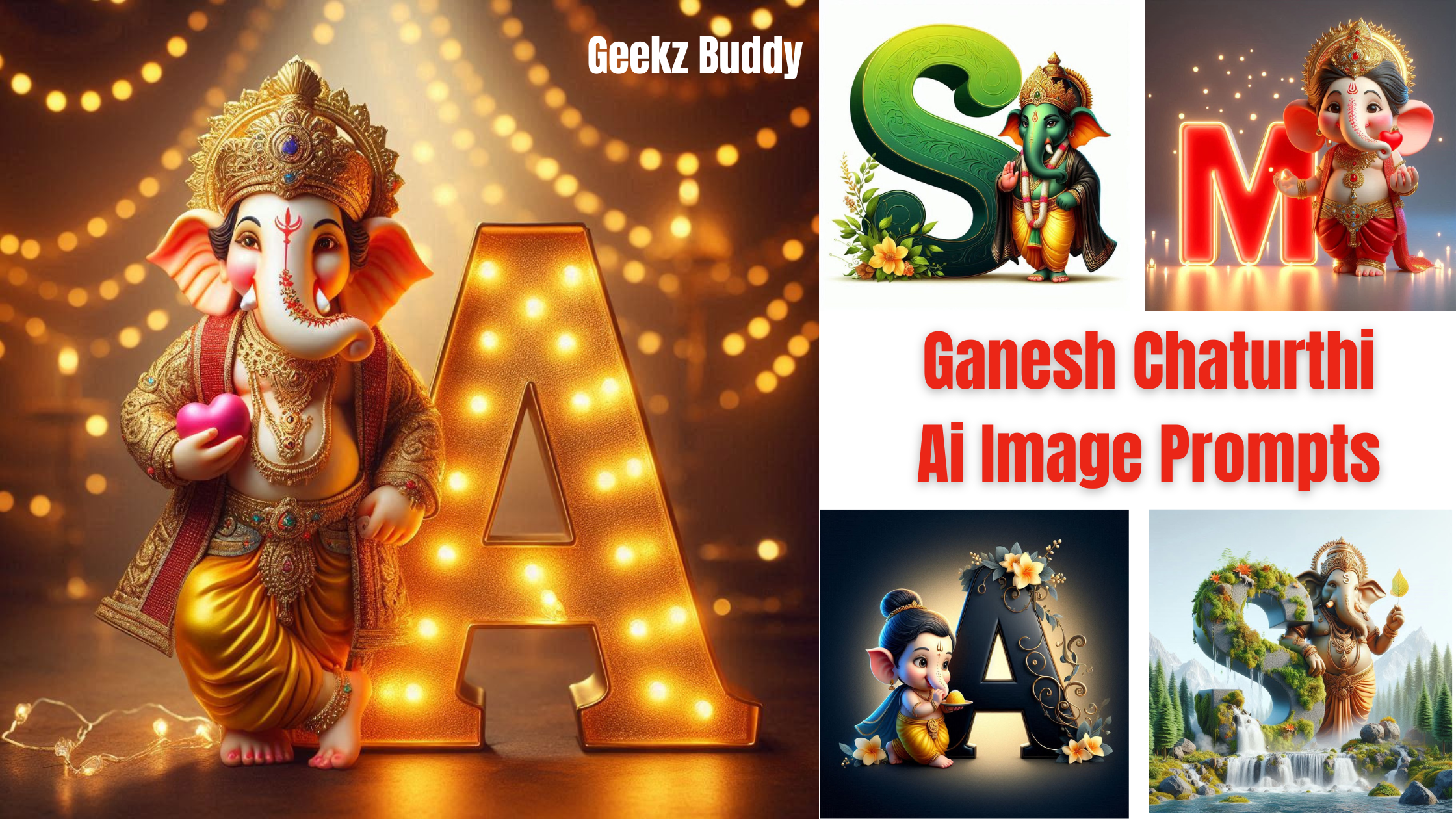
“Create an image of a lord Ganesh ji, wearing a golden crown adorned with jewels, He is dressed in a traditional golden yellow dhoti with red and gold accents and decorated with intricate jewelry. Ganesh ji is holding a pink heart in one hand and standing next to a large, illuminated letter ‘A’, which is lit up with glowing bulbs. The background features soft, warm lighting with string lights in the distance, creating a festive” - Prompt 2:
“A realistic 3d anim colorful illustration of a cute, indian god ganesha resembling a playful deity, standing besides a large illuminated red letter “M”. The figure wears traditional Indian attire with gold jewelry and a crown adorned with jewels. It holds a red heart in one hand and has a cheerful expression. The background is a gradient of gray, and delicate glowing lights surround the letter, enhancing the festive atmosphere. picture 16k ultra regulation” - Prompt 3:
“Create an image of a lord Ganesh dressed in a traditional yellow dhoti and a black shawl adorned. He wears a garland of flowers on his head, Ganesh ji is standing next to a large, elegant green gradient letter S, which is embellished with flowers and vines in another side.” - Prompt 4:
“Generate an image of Lord Ganesha, depicted with traditional features and ornaments, seated on a blooming pink lotus. The background should showcase a festive atmosphere with colorful garlands, traditional Indian lamps, and devotees offering prayers in the distance. The name ‘Yuvraj’ should be prominently displayed at the forefront in large, glittering letters, adding a personal touch to the spiritual setting.” - Prompt 5: “Create an image of a baby lord ganesha with a delicate, soft blue complexion, dressed in a traditional yellow dhoti. He eating modak with a serene expression. Ganesh is standing next to a large, elegant black gradient letter ‘A’, which is embellished with flowers and vines in another side. background features a dark gradient, highlighting the divine and tranquil atmosphere“
Steps to Generate Images Using Bing AI Creator
Follow these steps to create your own images for Ganesh Chaturthi using the Bing AI Image Creator:
Step 1: Create a Microsoft Account
If you don’t have a Microsoft account, sign up for one. This account is essential for accessing the Bing AI Image Creator.
Step 2: Access Bing AI Image Creator
- Open your web browser and go to bing.com/create.
Step 3: Log In
- Click on the Join & Create button and log in using your Microsoft account credentials.
Step 4: Enter Your Image Prompt
- In the text box, type one of the crafted prompts or create your own by describing the scene you envision.
Step 5: Generate the Image
- Click on the Create button. The AI will process your request and generate an image based on your description.
Step 6: Save or Customize Your Image
- Once the image is generated, you can view it on the screen. Save it to your device or customize it further using Microsoft Designer if desired.
Step 7: Share Your Image
- Share your newly created images on social media platforms to celebrate Ganesh Chaturthi and engage with your friends and followers.
Conclusion:
As we prepare to celebrate Ganesh Chaturthi, let’s embrace the blend of tradition and technology. By generating AI images that reflect our devotion and festive spirit, we can share our joy with the world. Use the Bing AI Image Creator to bring your imaginative prompts to life, and let your creativity shine this festive season. Wishing everyone a joyful and blessed Ganesh Chaturthi!