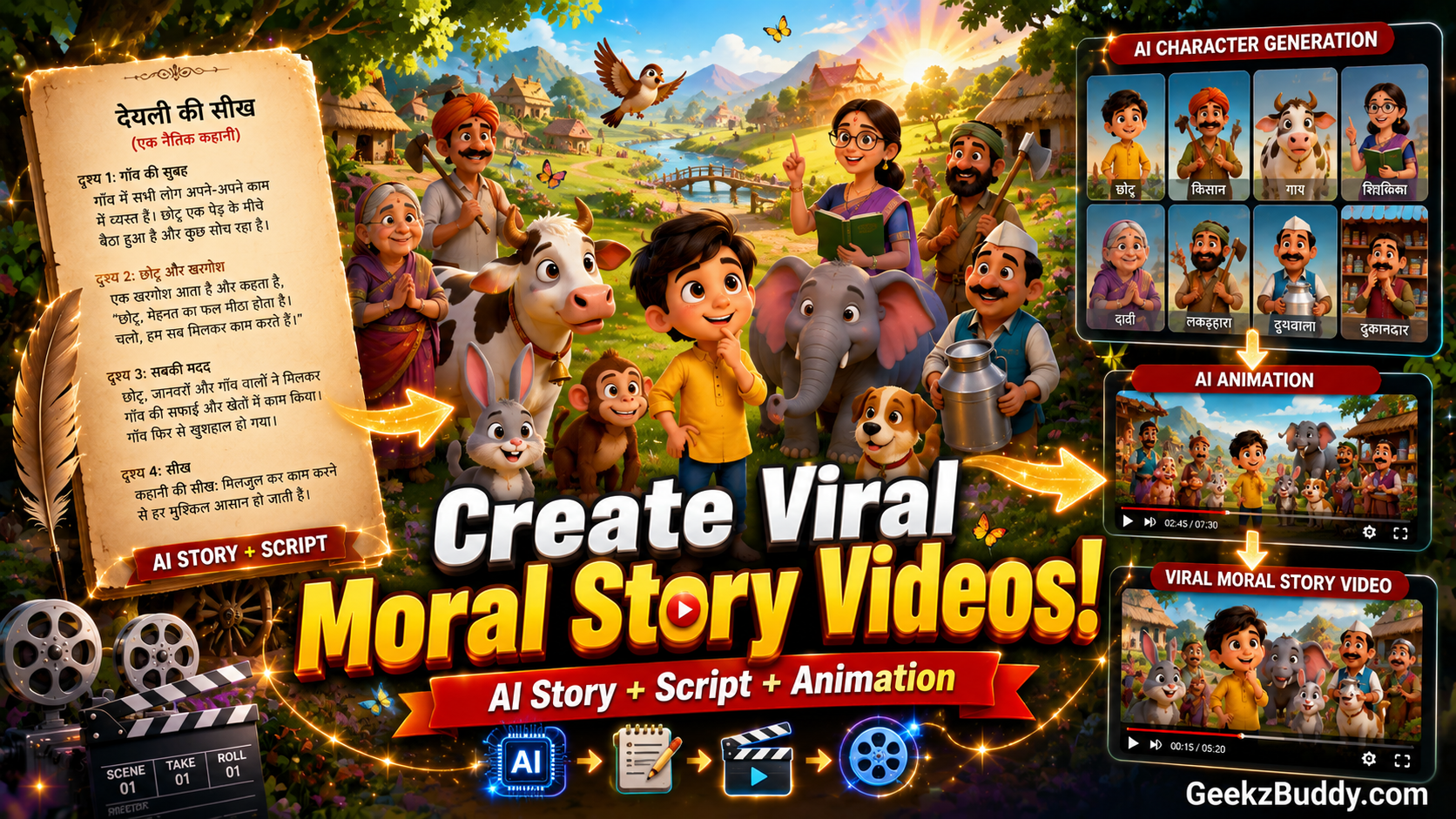
Create Amazing 2D Cartoon Moral Stories for YouTube Without Animation Skills
Hello Friends,
If you want to create emotional Hindi animated moral story videos like popular YouTube storytelling channels, then you’ve come to the right place.
Using AI, you can generate unlimited original story ideas, complete scripts, scene-wise video prompts, and consistent character designs in just a few minutes. You don’t need to be a writer or animator.
Simply follow the steps below.
Step 1: Generate Story Ideas
First, copy Prompt 1 from this page.
Open ChatGPT and paste the prompt.
The AI will generate 50 original copyright-free Hindi moral story ideas based on village life, kids, animals, family emotions, and magical stories.
Read through the list and choose the story idea you like the most.
Step 2: Generate the Complete Story Script
Now copy Prompt 2.
Replace the placeholder [Story Title] with the title you selected in Step 1.
Paste the prompt into ChatGPT.
The AI will generate a complete YouTube-ready animated moral story including:
- Emotional opening hook
- Mystery
- Conflict
- Betrayal
- Plot twists
- Climax
- Moral lesson
- Natural Hindi dialogues
- Scene-by-scene storytelling
Review the story and make any changes if needed.
Step 3: Generate Scene-by-Scene Video Prompts
After the story is finalized, copy Prompt 3.
Paste it into ChatGPT.
The AI will automatically convert the entire story into 10-second cinematic video prompts for every scene.
Each prompt includes:
- Character actions
- Camera angles
- Background details
- Character emotions
- Natural Hindi dialogues
- Consistent character appearance
- 2D cartoon animation style
These prompts are ready to use with AI video generators.
Step 4: Generate Character Images
Now copy Prompt 4.
Paste it into ChatGPT.
The AI will create highly detailed image prompts for every character used in the story.
Each character prompt includes:
- Multiple viewing angles
- Front view
- Side view
- Back view
- Facial expressions
- Costume details
- Consistent appearance
- 4K quality
These character sheets ensure your characters look the same throughout the animation.
Step 5: Generate Character Images
Copy each character image prompt.
Open your favorite AI image generator.
Recommended AI Image Tools:
- ChatGPT Images
- Google Imagen
- Midjourney
- Flux AI
- Ideogram AI
Generate every character in the highest quality available.
Download all character images.
Step 6: Generate the Animated Video
Now copy each 10-second video prompt generated by ChatGPT.
Open your preferred AI video generator.
Recommended AI Video Tools:
- Google Veo
- Kling AI
- Runway
- Pika
- Luma Dream Machine
- Hailuo AI
Upload the corresponding character image if required.
Paste the video prompt and generate each scene separately.
Repeat the process until every scene has been completed.
Download all video clips.
Step 7: Add Voiceover
Record your own Hindi narration or use an AI voice generator.
Popular AI Voice Tools:
- ElevenLabs
- Google AI Studio
- PlayHT
- Microsoft Clipchamp AI Voice
Synchronize the narration with your animated scenes.
Step 8: Edit the Final Video
Open your preferred video editor.
Recommended Editors:
- CapCut
- VN Editor
- InShot
- Adobe Premiere Pro
- DaVinci Resolve
Import all the video clips.
Arrange them according to the story.
Add:
- Background music
- Sound effects
- Voiceover
- Scene transitions
- Subtitles (Optional)
Export the final video in Full HD or 4K quality.
Your animated moral story is now ready for YouTube.
Tips for Better Results
✔ Choose emotional story ideas.
✔ Keep character designs consistent.
✔ Generate every scene separately.
✔ Use expressive facial animations.
✔ Add emotional background music.
✔ Keep suspense throughout the story.
✔ End every story with a strong moral lesson.
✔ Upload consistently to grow your channel.
Recommended AI Tools
Story Writing
- ChatGPT
AI Image Generation
- ChatGPT Images
- Google Imagen
- Midjourney
- Flux AI
AI Video Generation
- Google Veo
- Kling AI
- Runway
- Pika
- Luma Dream Machine
AI Voice Generation
- ElevenLabs
- PlayHT
- Google AI Studio
Video Editing
- CapCut
- VN Editor
- Adobe Premiere Pro
- DaVinci Resolve
Frequently Asked Questions
Are these stories copyright-free?
The prompts are designed to generate original story ideas. Before publishing, always review the generated content to ensure it is unique and doesn’t unintentionally resemble existing works.
Can I create unlimited stories?
Yes. You can generate new story ideas every time you use the prompts.
Can I change the story theme?
Absolutely. You can create village stories, animal stories, kids’ stories, magical adventures, emotional family stories, or any other moral story you like.
Which AI video generator works best?
Google Veo and Kling AI currently produce excellent cinematic animated videos.
Can I monetize these videos?
Yes, provided you comply with the policies of the AI tools and the platform where you publish your content.
Conclusion
Creating high-quality Hindi animated moral stories is now easier than ever. With AI, you can generate original story ideas, write complete scripts, create scene-wise video prompts, design consistent characters, and produce professional animated videos without any animation experience.
Follow this workflow to build your own storytelling channel and publish engaging family-friendly content that audiences of all ages will enjoy.
Happy Creating!